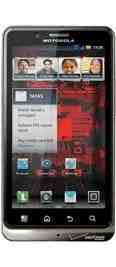
Looks like this Tuesday is off to a good start for Motorola DROID Bionic owners, as reports have begun flowing in from users reporting that the massive bug fixing update we detailed last week has begun rolling out. Verizon's official @VZWSupport Twitter account says that the update is in the process of being pushed to users and should make its way to all users in 1-2 weeks. Several folks have been able to yank down the 54.5MB update by checking for it manually, though, which can be done by going to Menu > Settings > About phone > System updates.
In case you missed it last week, this new Bionic update contains a boatload of bug fixes ranging from improved stability of 3G and 4G data connections to a solution to the issue that would cause some devices to automatically turn back on after being powered off. We've got the full change log available for you down below. If you're a Bionic owner and you successfully get this new software up and running on your handset, be sure to give us a shout in the comments below and let us know how it's working for you! We're all ears.
Email, Messaging & Data
- Improved stability of data connection on 3G and 4G.
- Fixed lockup that could occur while browsing during the handoff from Wi-Fi to 4G.
- “Data Roaming” pop-up message will display once when roaming in CDMA internationally.
- Jump to the most recent message after changing the device orientation while in message list view.
Device Features
- The number of devices supported by Mobile Hotspot has increased to 8.
- Fixes have been deployed to keep the device from becoming stuck on a black screen and requiring a battery pull to recover.
- Improvements in device stability help avoid device power cycles.
- When connected to a Bluetooth® headset or HDMI cable, the device will no longer lock up and power cycle.
- Improved cold SIM card activation speed.
- “Low memory” warnings when using the Lapdock™ have been reduced.
- An improvement to the camera’s auto focus will reduce the shutter response time and enhance the quality of captured imagery.
- During Location Based Service setup, a Location Privacy message will display.
- Fixed issue where the device would automatically power back up after being powered down.
- The following Lapdock updates were made:
- Improved stability.
- The display will not turn off after use.
- The calling screen will no longer be recreated, improving performance.
- Reduced frequency of the “Low Memory” warning message.
Call Features
- Use a wired headset without the interruption of a high pitched tone.
- Volume on the “Low Battery” alert tone has been lowered while user is on a call.
- Within the notification area, the Visual Voice Mail alert stating the server is not responding after a power-up has been removed.
Applications & Widgets
- Playback media can be heard while using a Bluetooth headset.
- Place a call to the appropriate recipient using the Contact widget.
- Improvements in the use of the Messaging application.
- After updating the contact database from the Messaging App, the Messaging UI will display the latest contact information.
- When moving applications to the SD card, shortcuts to these Apps will remain.
- Properly post and play videos to Facebook.
- Fixed issue causing apps to disappear from the app tray when moved to the SD card.
- Ringtones purchased from the Verizon media store can now be saved to the device.
- Apps can now be launched from the “Recent” menu in the app tray.
Via Android Central, @VZWSupport